Articles by "Landing Page"
Showing posts with label Landing Page. Show all posts
Builderall is all in one Digital marketing tool. It is newbie friendly and you sign up for 7 days free trial no payment required. In this article, you will learn what is Builderall and how to get started with 7 Days free trial.


What is Builderall?


Saying all in one digital marketing tool doesn't provide a clear view of what Builderall is. First of all, you need to understand what types of tools and how many tools you need to successfully run your online business. There will Tool to build Website, marketing automation tools, tools to design graphics and build your own mobile app. All this can be easily accessible through Builderall professional plan. But, You can get all of this features for free as 7 free trials. Later when you decide to upgrade your Builderall account then you can downgrade your plan as per your need.

Builderall Features

As I already mention, Builderall is known for all in one digital marketing tool. That means all you need Builderall to run or build your online business empire. Anyway, Here is the break down of Builderall features.


  1. Build landing page, sales page and complete marketing funnels using Drag and drop page builder
  2. A graphics design tool to design mockup for your digital product it can be ebook mockup etc
  3. Design complete website, Yes beside from page builder you can also run a blog, one shopping store on your website.
  4. Build viral marketing squeeze page with all the features you need to make your message true goes viral
  5. No need for web hosting service - your website will be hosted on Cloud server
  6. Website Analytics Tools
  7. Email Marketing automation tools to build list and setup autoresponder campaign.
  8. Run your own Webinar marketing campaign
  9. Build your own Facebook messenger Chatbot
  10. Build in LMS - Sell your own online courses
  11. Simple online video editor tool
  12. Browser Notification tool
  13. Generate Copywriting script for your sales page, email etc
  14. Pre-build Sales funnels templates
  15. Build your own Mobile app (Android and iOS)
Anything Else?, I don't think that you need outside tool to build your online empire. You get all you need in one place at a simple and attractive price.


How to Get Free Trial


First, you need to signup for Builderall 7 days free trial using a unique link. 


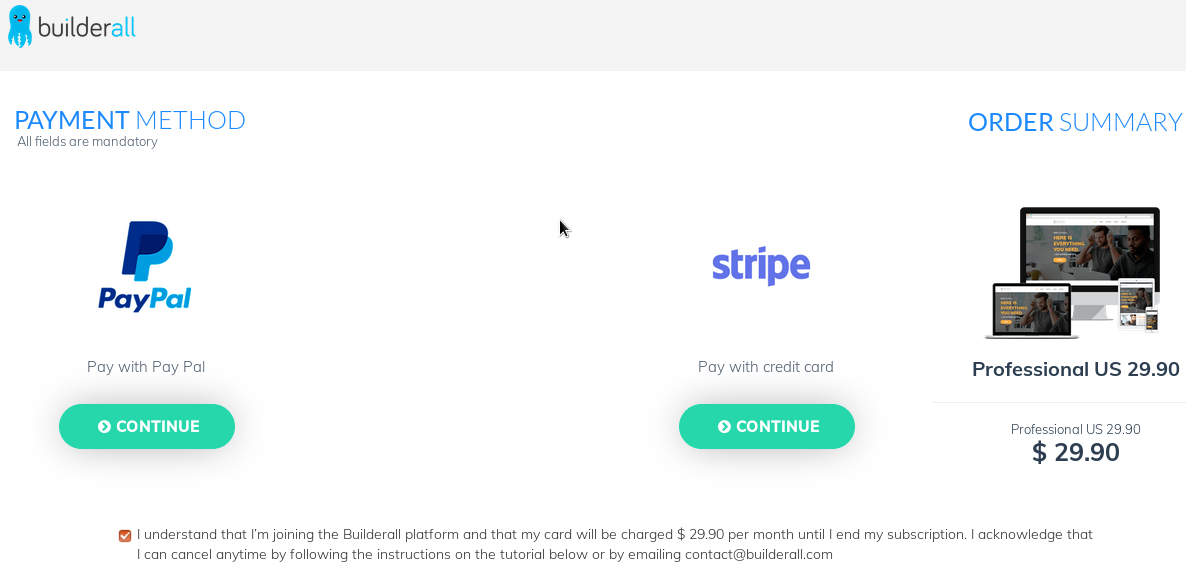
After Sign up, you will be redirected to the Billing page. Don't worry you don't need credit/debit card to get a free trial.


Skip this page and go to https://office.builderall.com. You will see your account active and ready to build something incredible.


Watch My Video on Builderall Review and Free Trial


Builderall All in One Digital Marketing Tool


Anything else? Comment Below.


YouTube Video Creation 

Youtube Video Creation Tools Creating videos does not require fancy software such as Camtasia. Consider these free tools.
 
PowerPoint Many marketers have PowerPoint already. You can make very good quality videos through PowerPoint. It has a simple interface.
 
Open Office Impress You can use Open Office Impress to Create Videos. Download here
 
The first step in creating your video is to decide which keyword you are going to target, for this example I am going to target "how to potty train a puppy" now having a target keyword won't help too much in the beginning when we are buying traffic, but it will help us rank later after we stop buying traffic.


Once you decide on your keyword the next step is to write the content for the video so that you have at least a general outline of what to say. The key to getting people to click through from your videos to your report is to give great content and then ask them to click through. 
 

The Video Outline

Introduction - Give your viewer an introduction to yourself and/or the content which will be covered. 
Viewer Benefits - Tell the viewer what benefits they will get from watching. What will you be teaching them in broad strokes. 
Give them what You Told Them - Deliver the contents 
Recap - Remind them what you told them. Make sure you have delivered true value. 
Call to Action - Move the viewer to Action. Move them to click through. - If you want to `get our report' `if you want to learn more' 
Silence - Give on screen visualizations of what to do next
Redirect their attention away from other competing videos 
This also bears repeating over and over: Focus on benefitting the viewer! Make sure your presentations are moving the viewer towards your magnet.


YouTube Video Optimization

Prepping Your MP4 for Upload
It seems that the more you help YouTube the more they reward you. So by putting some basic information into the properties of your .mp4 you do get a certain boost. 
 
 
File Properties Prior to Uploading Edit File and Upload Video
1) Rename you video file to the long tail keyword - ex howtobuildalistquickly.mp4 
2) Right click file and go to details - you want to put the same name in for title 
3) For the subtitle you want to input some LSI keywords (ex Tired of slowly building a list? Watch this video to learn how to learn easy to implement tips) 
4) In tags you'll want to put in your keywords, separated by a semi-colon.
5) In comments put something related + some lsi keywords - don't keyword stuff else risk penalized for keyword stuffing
 
 
Another Word on Niche Competition 
 
 
Let's revisit some specific points regarding Video Niche Competition. You must keep your competition in perspective if you're going to rank effectively. Depending on your niche, the odds of finding a video that is PROPERLY optimized are slim. Let's concentrate on the basics ­ focusing on these will get us placing in the upper 5% out of the gate. 
 
 
Video Title: Is the real KEYWORD in the video title? 
Video Long-Tail Keywords: We need to focus on Long-Tail Keywords as these 
 
1) Show buyer intent 
2) Drive on on-page video SEO 
Video Description: We need to follow best practices here. We cannot over-optimize, but we also want to `prime' the description all we can. 
 
Video Tags: Ensure we have all the keywords possible. We ARE NOT going to be penalized here. Hint: Opportunity. 
 
Video Views: The Google algorithm (on SERP) and YouTube algorithms (On-page) use views as a primary means when returning results. 
 
Video Likes: How many likes or "thumbs up" does this video have? How many social signals have been sent.
 
 
Writing a Good Title 
 
 
Use the video keywords as a title. Remember to name some videos with buyer intent words: Review, Demo, How To, Product X vs Product Y 
 
  1. The main keyword for which you are trying to rank HAS to be in your YouTube video title (for instance we are wanting your beagle puppy to stop biting) 
  2. I recommend that you place the keyword is near the beginning of your video
  3. You want to include as many LSI words as possible 
  4. You also want people to click on the title so short form CTA (Call to Action) is important. Make it benefit oriented. 
 
 
Description Optimization
 
 
The very first thing in your description should be a link to your squeeze page. 
For the rest of your description I recommend either using your exact transcript, or writing an article to fill the space. You should try and use every ounce of space they give you, YouTube has said that the longer your description the better chance you have to rank. 
 
 
Also at the very end of your description you want to insert a link to the video page. It will end up linking to itself, but if someone scrapes your description you will receive a link. Just doing this usually gets you 20 or so backlinks. 
Warning: DO NOT keyword stuff your video description, use your keyword when it is appropriate, don't go out of your way to use it, that is the fastest way to get the boot!
 
 
Tag Optimization 
 
 
Use the keywords and long tails you discovered during your research stage. The more long tail tags you put in here the better. Feel free to put as many in here as you can think as you won't be penalized.
 
 
Video Optimization 
 
 
To rank effectively you will need to optimize your videos. This optimization has to do mainly with keyword titles, video description, video tags
 
 
Repeating keywords 
 
 
Be careful how often you repeat keywords. 1 in 100-150 words in the video description is ideal. You risk being penalized if you exceed this.
Video Description YouTube favors videos which have 300-600 words. This only helps flag the video as true content.
 
Category: Use the same category as those videos which are currently ranking high
Audio Encoding and YouTube Signals: A large factor in how YouTube determines the authority, and subsequently the rank of you video is the actual audio in the video. YouTube actually: 
 
1) Will strip the audio and convert into text and transcribe it themselves 
2) They'll analyze the keywords you talk about in your video
 
 
** If you want the highest rankings possible - then you need spoken words - and your script best have those keywords you are trying to rank in there
 
 
Transcription and Closed Captioning 
 
 
Help YouTube discover your keywords and LSIs You need to: 
1) Upload a transcription of what is said on the video. YouTube place more authority for the video if the audio and then the transcription is matching. 
2) Turn on closed captioning (it's okay to let YouTube perform this)
 
 
Now Follow the Step: Find your file - Click on edit - go to caption (if you try and keyword stuff with the caption - they will know) - It's a good idea to separate your sentences inside the transcription box - What it does know after you select sync - is compare your audio with your transcript to make sure it is correct.
YouTube Video
 
Video Settings 
Some setting you will want to have for you videos are below: Make sure it's public.
Here are my recommended advanced settings:
YouTube Video


YouTube Video Channel Optimization Channel name

 
  • Your channel name will appear across the site in search, suggested channel and channel browse placements. 
  • Your channel name is distinct from your channel URL; the name can be edited from the channel page. 
  • Pick a channel name that is short, memorable and gives your audience an idea of what your channel is about. 
Channel description 
 
  • The first few sentences of your channel description appear most frequently across the site so highlight your most important content upfront. 
  • Accurately describe your channel.
  • Use relevant keywords in the description. 
  • Include your upload schedule, especially if you host multiple content types or series.
  • Example of a great description: VICE: "VICE specializes in exploring uncomfortable truths and going to places we don't belong. Now, thanks to YouTube, we have compressed two decades of our unique immersive approach to these subjects into delicious bite-size morsels. Herein you will find people talking frankly about their hatred and love for various things, general heresy, the only travel and news documentaries you'll want to watch, tons of exclusive new stuff, and probably a lot of cats. You're welcome." 
Channel icon 
 
  • Upload a square, high-resolution (800px x 800px) image that is recognizable at smaller resolutions. This image will be your channel's icon throughout the site.
  • Use text sparingly; it can be illegible at smaller resolutions. 
Channel art 
 
  • Create customized, visually-compelling channel art. Use the channel art tool to choose how the image appears on desktop, mobile, and TV. Remember, busy images don't scale well so try to keep the image simple, yet representative of your brand. 
  • Channel art should reflect your channel's personality. Make the audience feel like they're connecting with a person or character and not just a brand. 
  • Add website and social media links to the About tab. These links can also be exposed on your home tab and help tie your YouTube presence to the rest of your online brand. 
  • Check how your channel looks in search, related channels and the channel browse page. Do your channel icon, channel name and channel art do a good job of describing your channel to potential fans? Checkout Here
 
 
Homework

Look through YouTube's online information. It is all very well written and easy to understand. You'll probably want to add this to your bookmarks. You can find this information at Here
 

Getting the Viewer onto Your List 

If you are successful with your `Call To Action' in your landing page then you need to enable the mechanism the viewer will use to actually navigate to your squeeze page. In order to get the user onto your list you will need to provide them a way to `click through'. There are two ways to link the video to your squeeze page. 


You can use YouTube Annotations (recommended) or a link within the description of the video. You need to allow for both, but the use of YouTube annotations is the best. Annotations are clickable text overlays on YouTube videos.
 
 Annotations are used to boost engagement, give more information, and aid in navigation. Be inventive! Producers are consistently finding new, creative uses for annotations. 
 
Subscriber Annotation
 
Creating an annotation 
Here's how to access annotations and add them to your video: 
1) Go to your channel Video Manager 
2) Next to the video you wish to edit, click the down arrow to the right of the Edit button and select Annotations 
3) Click the Add annotation button on the right. 
4) Click Publish when you've finished creating your annotations. 


Some suggestions for using annotations: - 
 
Notes, Speech Bubbles and Spotlights, can be linked to "content" (such as other videos, same video, channel pages, playlists, search results). Similarly, they can also be linked to "calls to action" (such as subscribe, compose message and upload video response). Here are some ideas and recommendations for using links.
 
Use spotlight links rather than text links: Although adding links in Notes or Speech Bubbles may be the quickest way to add them to a video, another option is to put spotlight annotations around items in the videos. This will create a "clickable hotspot". Some creators embed thumbnail images or video-in-video spots just for this purpose. This technique often yields better results with a much higher clickthrough rate than text links.
 
Put video links at the end of your video: When viewers reach the end of a video they are confronted with the question "what shall I watch next?". We recommend adding links at the end of your video so as to present these users with a set of links to related content (either yours or others'). Some YouTube creators find this a very effective way to cross-promote their content and to drive additional views. 
 
Make your video interactive: By using links in your videos you'll create an experience and content that seem to respond to viewer commands. For example, you could present a video for a new car and present the user with multiple color options. Each color option takes the viewer to a different video of the car in the specified color. 
 
Create chapters: In long videos that contain multiple distinct sections, it's a good idea to put a set of links at the beginning of each section. For example, at the start of a gadget review video there may be links to the chapters: "Unboxing", "Specification", "Charging" etc.. Then the viewer knows about available content and can choose videos which are relevant and of interest to them. 
 
Build branching storylines: One technique which is popular among viewers is branching storylines, also known as "choose your own adventure". This involves creating a plot that spans multiple videos. 
 
At the end of each video the viewer is presented with a choice as to how to proceed - each option is a link to a subsequent video that matches this choice. This puts the viewers in charge, challenges them, gets them more involved and engaged. 
 
Add subscription links: A good way to add subscribers is to add a subscription link towards the end of a video, when viewers had a chance to appreciate the quality of your videos and are likely to want more. - https://support.google.com/youtube/answer/1092582?hl=en

Developing Your Free Offer 

Now that you have completed your competitor intelligence, and developed the keywords you will be targeting, it's time to focus on your lead magnet. When developing your lead magnet always keep in mind the wants and needs of your viewers. 
 
You must be ALWAYS deliver what you're promising the lead. If your video promises `oranges' then your report had better be about oranges or at the least orange juice. Delivering a lead magnet centered on apples is going to confuse your prospects and your opt-in rates will reflect this. 


Creating Your Free Offer
 
Once you know your audiences pain point, you need to `blow it up'. You will be using this throughout your video creation, your squeeze page, your salesletter etc. If you are targeting bloggers needing more traffic than your will need to paint the scenario that very few bloggers are successful in monetizing your blogs and the need for traffic to increase their revenue. So write the report about how they gain viewers, the ways to get free traffic etc. Offer an easy step by step plan for increasing their traffic. 
 
Your lead magnet doesn't need to be long. You should actually leave them wanting more, so eluding to other traffic tactics you can provide will make them tune into your emails. Also, make sure to include some affiliate links throughout the report. You may as well be making money from it. 
 
Now there are short cuts to creating your lead magnet. The use of PLR is a great way to save time, or get your creative juices flowing. DO NOT use PLR the way it comes, it should only be used as an outline in developing your magnet.
 
Where to Source PLR A Very good PLR membership can be found here: http://www.bigproductstore.com/119.html
 
Here is an example of PLR content for Acne.
 
Graphics
 
The last thing you are going to need is an E-cover for your report; I recommend going to fiverr.com and ordering one for 5 bucks. If you bought a PLR report you should already have graphics for your free report, but, there are others out there who are probably using the same graphics so if you want, I recommend getting a new cover. Homework Look at your competitors lead magnets. What type of report etc are they using to entice optins?
 
List Building Architecture 
 
In order to get the subscriber onto your list you will need to have a few things to facilitate your squeeze, and the follow-up messages for further monetization. 
 
Creating Your Squeeze
 
Page Alright, now that you have your free report all finished up the next step is to create a squeeze page so you can collect email addresses. You don't need to spend hundreds just to get a squeeze page. There are plenty of WP Plugin Squeeze Creators. Goto www.wordpress.org and search for a plug-in for a squeeze page.
 
WP Lead Plus Free Squeeze Page Creator
 
If you would still like to look at other options then here are a few I recommend. A good free squeeze creator: http://squeezepagecity.com
 
Hosting 
 
If you don't already have a hosting account I'd recommend Hostgator, I've had accounts hosted there for many years and never had issues. 
 
Domain name 
 
Whether or not you have a domain name already you are going to want a new one for your squeeze page. I highly suggest getting a domain name from NameCheap.
 
Auto Responder 
 
The money is in the list! And GetResponse is the program that will let you build and communicate with your email list. I recommend using GetResponse it is by far the best auto responder on the market. Sign up for GetResponse Alright, let's move forward, once you have all the things I listed above go ahead and get your squeeze page set up.
 
I am not going to go into detail about how to do the technical stuff because you can find it pretty much anywhere on the internet.

Tips for Successful Landing Pages 

Why build a better mousetrap when the one that exists already works so well? Why not just reproduce the success of the original by producing more of them? Well, that is precisely what you should do when you create a landing page. Don't copy other people's pages. Instead, we can borrow elements from those pages that we know are already successful. 


There are a few elements you should focus on no matter what type of landing page you create. 
 
 
1. Headline:­ As with any type of page, you need a headline to grab attention and get people interested right away. The headline is the most important element of the page, because it's usually the first thing people see. 
 
 
2. Media: ­ You'll generally want some kind of imagery, whether it is video or image-based. This is usually a picture of the product or a video ad, but it could be any type of supporting media. This is usually the second thing people notice on a landing page, but of these four elements, it's the least critical. You could still have an effective landing page with no graphics or video, but typically graphical elements and videos capture interest and lead to better conversions. 
 
 
3. Benefits: ­ Every landing page needs a list of benefits. Whether this is benefits of the product or benefits of your newsletter that you want them to subscribe to, you must give people enough reasons to take action. 
 
 
4. Call-to-Action :­ A call-to-action is another vital element for any landing page. You must tell people what action you'd like them to take. This could be something like, "Click here to get your copy of this unique marketing system now!" Or it could be something like, "Enter your name and email address to receive your free copy of this lifechanging report today!" A strong call-to-action can mean the difference between getting the visitor to take action and having them leave, so pay close attention to this component. 
 
A landing page can have other elements, as well. Just remember that the four elements listed about are crucial to the success of any landing page, so time must be spent making sure these elements are finely tuned for conversions.
 

Copywriting & Conversion 

Creating a real Call to Action - Intensifiers Evoking an emotional response is relatively simple if you understand your market at all. It's important to get inside the head of your average prospect and really understand what motivates them. 
 
 
Here are a few examples:  
 
  1. A golfer might want to improve his swing so he can stop being embarrassed whenever he goes golfing with his friends.  
  2. An overweight person might want to look better in order to attract a mate or feel better so he can do his favorite activities without getting out of breath.  
  3. Someone who is looking to make money quickly is probably afraid they will become homeless or lose their possessions. 
  4. A single person is lonely and feels the pain of that loneliness most at holidays and special occasions or when they see happy couples out together. 
Once you're inside the prospect's head, and you know what he feels and why he feels it, you can choose the right intensifier to boost conversions like crazy. Okay, so what exactly is an intensifier?
 
 
An intensifier is something that is placed on a page that helps remind the prospect of their pain in order to evoke the emotional response that will lead to an opt-in.
Also, it's important to make sure you turn a need into a want, because a want is always more emotional than a need. 
 
How so? Well, think of a smoker. He knows he should quit smoking. He's seen the warnings. He's heard the news about how many people die every day from smoking related illnesses. His family may have even nagged him to death to quit. 
 
But unless he truly wants to quit, he won't. Period. No amount of warnings, nagging, begging, pleading, and even threats, or bribes will get him to quit unless he really wants to. Even if he's finally nagged into quitting, he'll likely fail unless he wants it badly enough. 
 
 
Let's look at exactly why this works: 
1. It grabs attention. It gets the prospect to identify himself as a person who has a problem he needs to solve.
2. It turns a need into a want, which increases emotional pull.
3. It makes the prospect realize you understand the problem, which makes them more likely to listen to your solution. Thus, they are more likely to read your sales page and purchase the product. 
 
 
Intensifiers are tailor made for sales pages, but you can also use them effectively on many other pages such as a squeeze: 
 
  • You can use them on squeeze pages to encourage opt-ins.  
  • You can put them on blogs to engage readers.  
  • You can put them on pre-launch pages to stir excitement.  
  • You can put them over videos to increase views. 
They'll work nearly anywhere you'd like to increase responsiveness. 
 
Getting Into Your Prospect's Head 
 
Intensifiers are practically useless, as is any type of sales page or squeeze page, if you don't understand your market fully. You need to be inside the mind of your average prospect in order to understand how to push the right emotional buttons. 
 
You must learn as much as you can about your prospects. Never, ever make assumptions, especially if you don't understand the market on a personal level. (You shouldn't make assumptions even if you do, because you may not be the "average" prospect in your market.) 
 
You also shouldn't blindly trust that your competitors know the market any better than you do, because it's quite possible they made assumptions themselves!